What are unapplied cash, unallocated payments and unused credit notes?
These are three ordinary ways cash and credit end up stranded in your ledger. Unapplied cash is money a customer has paid that has not been matched against an invoice: the payment landed, but it is not reducing a specific bill. An unallocated payment is the same thing seen from the payment side, cash sitting on account rather than settling the invoice it was meant for. An unused credit note is a credit you raised for a customer, perhaps for a return, an overcharge or a goodwill adjustment, that was never applied against an invoice they still owe.
None of these are fraud or even mistakes in the strict sense. They are the friction of running invoicing and payments in systems that do not reconcile customer by customer on their own. A customer overpays by rounding a settlement up, pays an old invoice twice, settles through a different channel than expected, or is issued a credit that then never meets an open invoice. Each event is recorded correctly. What is missing is the check that puts the two sides together.
How do I find unapplied cash and unallocated payments manually?
You can find most of this yourself, read-only, without changing anything in the ledger. The aim is to reconcile what each customer was invoiced against what they paid, and to check every open credit note against the invoices it could clear. Both Xero and QuickBooks expose the reports you need.
- 1In Xero, run the Aged Receivables Detail report; in QuickBooks, run the Open Invoices and Customer Balance Detail reports, grouped by customer. Look for customers whose balance is negative or zero while activity continues, because a negative balance is cash or credit sitting on account.
- 2Check the customer's overpayments and prepayments in Xero, or the unapplied payments and credits in QuickBooks. These are the payments recorded against the customer but not matched to a specific invoice.
- 3For each customer with an overpayment, total what they were invoiced against what they actually paid in the same currency. Where the paid figure exceeds the invoiced figure by more than a trivial amount, the difference is unapplied cash.
- 4List every open credit note, from Xero's Credit Notes report or the Aged Receivables detail, or from QuickBooks' open credit memos. For each, check whether the same customer has open invoices the credit could be applied against. If they do, the credit is going unused; if no open invoice can absorb it, the residual is a refund the customer is owed.
- 5Set aside any payment with no customer name attached, for example a bank collection imported without a payer. It cannot be reconciled this way, because there is nothing to group it against, so identify those separately and tag them with a customer in your own records.
Does Xero or QuickBooks flag unapplied cash automatically?
Not proactively. Both systems record every payment and every invoice accurately, and both let you allocate cash to an invoice or apply a credit note by hand whenever you go looking. Xero will show a customer's overpayments and prepayments if you open that customer; QuickBooks will show unapplied payments and credits on the customer record. What neither does is come to you and say this customer has paid more than you billed them, this payment has been sitting on account for two months, or this credit note was raised in March and has never been applied.
That gap only closes when someone reconciles both sides for a customer, and in a busy ledger with thousands of transactions that reconciliation is exactly the task that slips. The cash is not lost, but it is not doing its job: it is not clearing the invoice it belongs against, the customer may still be chased for a balance they have already paid, and a credit they are owed sits unused.
How LeakIQ surfaces unapplied cash and unused credit notes
LeakIQ connects to Xero and QuickBooks read-only and does the reconciliation for you, customer by customer, within a single provider and currency. Where a customer has paid more than they were invoiced, it flags the excess as unapplied cash or an overpayment sitting on account, ignoring pence-scale differences below a small threshold so you are not shown rounding noise. Where a customer holds a credit while they also have open invoices that credit could clear, it flags the unused credit note, splitting it into the amount that could be applied to open invoices and any residual that no open invoice can absorb, which is a refund the customer is owed.
Because it needs both sides to see an imbalance, an import of payments alone or invoices alone can never be made to look like a problem, and CSV uploads of invoices and payments are folded into one logical source so the two reconcile.
LeakIQ is read-only and stays that way. It never applies the cash, never allocates a payment to an invoice, never raises or applies a credit note, never issues a refund, and never moves money. It also does not decide which invoice the cash belongs against: it surfaces the imbalance with the totals and hands it to your team to reconcile in your own ledger. It reconciles within one source and currency, so it does not try to match customers across different systems, where matching by name is unreliable, and it cannot group a payment that arrives with no customer name attached, such as some bank collections. Everything it finds comes with the underlying record, so your team can verify it before doing anything.
How much revenue leaks away undetected?
Unmatched cash and unused credits are one thread in a broader pattern of revenue that is earned but not fully collected. There is no single published figure for unapplied cash on its own, but the wider numbers give a sense of scale.
of revenue commonly leaks away undetected
of UK Direct Debit payments fail
of customer churn is involuntary, a payment that failed rather than a customer who chose to leave
The 1% to 3% range is a commonly cited industry estimate, not a single published figure. The Direct Debit failure and involuntary-churn figures are from GoCardless, measured across 55,000 businesses and 52 million transactions. None of these measure unapplied cash on their own; they describe the broader leakage picture.
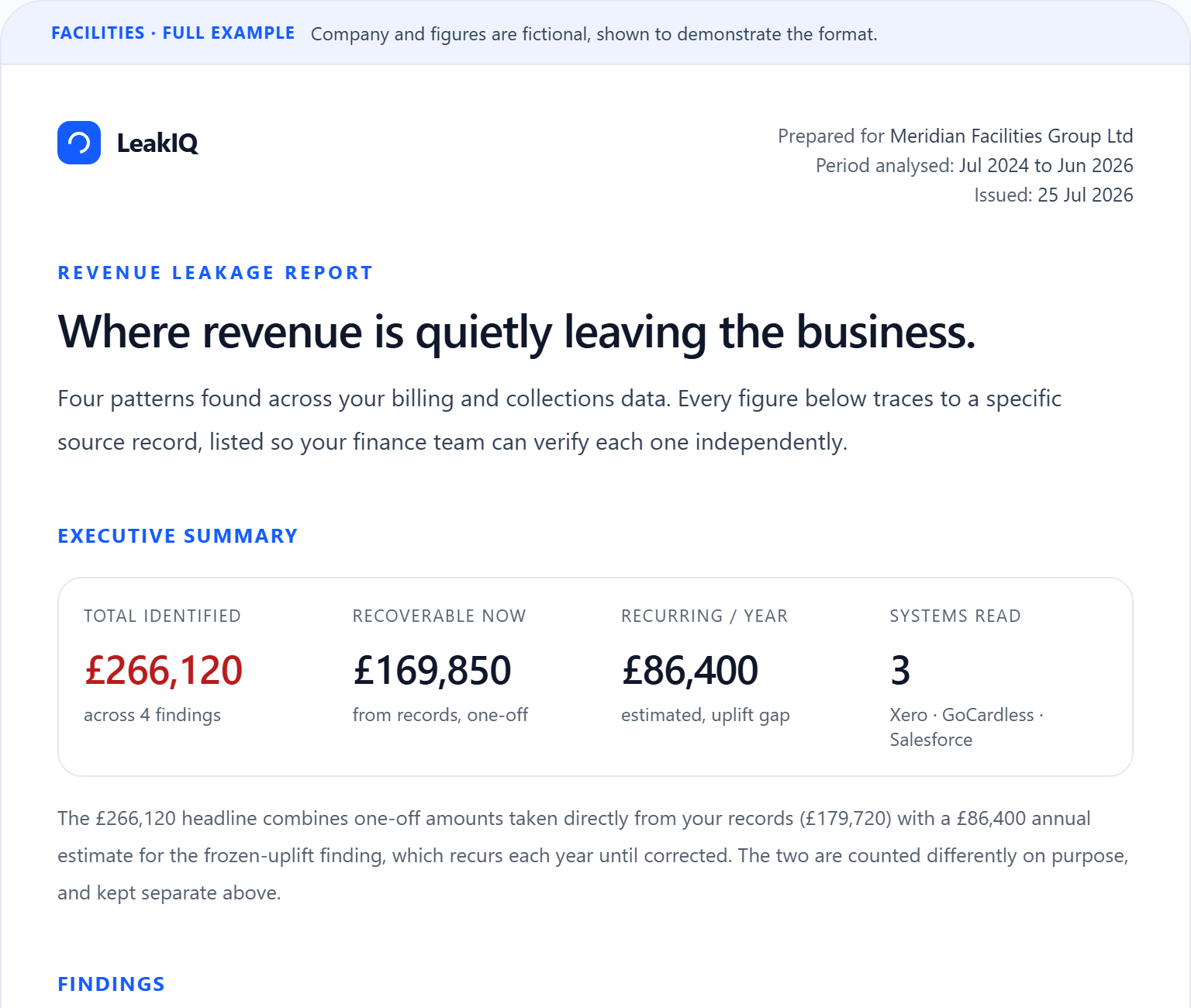
Want to see an example of the free report you'd receive?
The headline figures, then every finding with its amount, the customers affected and the source records behind it.
Common questions
What is unapplied cash in Xero or QuickBooks?
Unapplied cash is money a customer has paid that has not been matched against a specific invoice, so it sits on their account instead of settling a bill. It usually happens when a customer overpays, pays an invoice twice, or settles through a channel the ledger did not expect. Both Xero and QuickBooks record the payment correctly; what is missing is the allocation that ties it to the right invoice. Until that allocation happens, the customer may still show a balance and may still be chased for money they have already paid.
How do I find unallocated payments sitting on account?
In Xero, open a customer and look at their overpayments and prepayments, or run the Aged Receivables Detail report and look for negative or zero balances against continuing activity. In QuickBooks, check unapplied payments and credits on the customer record, or run the Open Invoices report. For each customer, compare what they were invoiced against what they actually paid in the same currency, and any excess is cash sitting unallocated. A read-only tool such as LeakIQ does this reconciliation across every customer automatically and shows the excess with the source record attached.
Does Xero or QuickBooks warn me about credit notes that were never applied?
No. Both let you raise a credit note and apply it to an invoice by hand, and both will show a customer's open credits if you look at that customer, but neither proactively tells you a credit was raised months ago and never applied against an open invoice. That check requires reconciling the customer's credits against their open invoices, which is easy to skip in a busy ledger. LeakIQ flags an unused credit note where the customer also holds open invoices it could clear, and separates the applicable amount from any residual refund the customer is owed.
Will LeakIQ apply the cash or the credit for me?
No. LeakIQ is read-only: it never applies cash, never allocates a payment to an invoice, never raises or applies a credit note, never issues a refund, and never moves money. It surfaces the imbalance with the totals and the underlying record, and your team carries out the allocation or refund in your own ledger. It also does not decide which invoice the cash belongs against; that judgement stays with you.
Why can a payment with no customer name not be reconciled?
Reconciliation here is scoped to a single customer within one provider and currency, so a payment has to be attributable to a customer to be compared against that customer's invoices. A payment that arrives with no payer name attached, such as some bank collections imported without a customer, has nothing to group it against, so it is left out rather than guessed at. LeakIQ also does not try to match customers across different systems, because matching by name across providers is unreliable. Those unattributed payments are worth identifying separately and tagging with a customer in your own records.
Keep reading
- the Xero billing errors guide
The sibling problem: the same customer billed twice, invoices never chased, and prices that never moved at renewal.
- what revenue leakage is
A plain-English primer on the underlying problem, if you are new to the topic.
- an example leakage report
See how unapplied cash and unused credits are surfaced, with the source record behind each finding.
- how the platform works
How LeakIQ connects read-only and reconciles both sides end to end.
- the full detector catalogue
An honest list of what LeakIQ detects across billing, payments and the ledger.