How do I find duplicate invoices in QuickBooks?
QuickBooks stops you reusing a document number on a new invoice, but it does not stop the same customer being billed the same amount twice under two different numbers, which is the more common double bill. To find those, look for invoices to the same customer for the same amount inside a short window of roughly ten days, and set genuine recurring billing aside so a monthly retainer is not mistaken for a duplicate.
There is a second pattern worth checking. Two distinct invoice records can reuse the same document number for different amounts, which points to a re-issue or a data-integrity fault rather than a repeat order. QuickBooks invoices carry a DocNumber, so this is a real check to run against your export.
A read-only tool such as LeakIQ scans for both. It clusters same-customer, same-amount invoices within a 10-day window and excludes a steady recurring rhythm so a monthly retainer is never mis-flagged, and separately it catches two records that share one document number for different amounts. It frames each as a possible duplicate rather than a certain one and asks the team to confirm before crediting, because a customer can legitimately order the same thing twice. It does not detect duplicates across different customers, or where the amounts differ and no shared document number exists.
The billing errors QuickBooks does not flag
None of these are fraud. They are the ordinary friction of running billing and payments across records that QuickBooks stores but does not reconcile against each other.
- The same customer invoiced the same amount two or more times inside a short window
- Two invoice records that reuse one document number for different amounts, a re-issue or data-integrity fault
- Aged unpaid invoices past their due date that were never chased, sized by the outstanding balance and days overdue
- Part-paid invoices past due, where a partial payment came in and the remaining balance was never chased
- Open unpaid invoices with no due date on file, flagged once they are old enough to be unambiguous
- Recurring prices that never moved at renewal, and prices that stepped down and never recovered
- Unapplied cash where a customer paid more than they were invoiced, and unused credit notes sitting against open invoices
How to find billing errors in QuickBooks manually
Every step here is read-only. You export and inspect, you do not change anything in the ledger. Carry out any fix inside QuickBooks itself once you have verified the finding.
- 1Run the invoice list or open invoices report in QuickBooks Online and export it to a spreadsheet, so you can sort and group without touching the ledger.
- 2Sort by customer and amount, then scan for the same customer billed the same amount within a week or two. Set genuine monthly or recurring billing aside so a retainer is not read as a duplicate.
- 3Sort by document number to spot the same number appearing on two records with different amounts, a sign of a re-issue or data fault.
- 4Filter to invoices with a balance above zero and a due date in the past. QuickBooks has no explicit paid or open status field, so a balance above zero is how you tell an invoice is still open. Check each against your correspondence to find the ones nobody chased, including part-paid invoices where a balance remains.
- 5Pull open invoices with no due date and flag any that have been outstanding for more than about 90 days, old enough to be unambiguous.
- 6Compare this year's recurring and contract prices against last year's to catch rates that never rose at renewal, or that quietly stepped down and never recovered.
- 7Review customer payments and credit notes for money received but never matched to an invoice, and for credit notes raised and left unapplied against open balances.
Does QuickBooks detect duplicate invoices and billing errors automatically?
Only in part. QuickBooks enforces its own document numbering and derives an open or paid balance for each invoice from the outstanding amount, so a balance above zero means the invoice is still open.
It does not flag the same customer billed the same amount twice under different numbers, a document number reused across two records, an invoice that has aged past terms without being chased, a price that should have risen at renewal, or cash and credit notes left unapplied. Those need a cross-record check across your invoices and payments that QuickBooks does not run, which is why they usually go unnoticed.
How much revenue leaks through billing errors?
Finance teams commonly estimate that 1% to 3% of revenue leaks away undetected. Payments are a large part of the same picture, and the figures below are the only published numbers we cite.
of revenue commonly leaks away undetected
of UK Direct Debit payments fail
of customer churn is involuntary, a payment that failed rather than a customer who chose to leave
Direct Debit failure and involuntary-churn figures: GoCardless, measured across 55,000 businesses and 52 million transactions. The 1% to 3% range is a commonly cited industry estimate, not a single published figure.
How LeakIQ surfaces these in QuickBooks automatically
LeakIQ connects to QuickBooks read-only through its native connector, scans your invoices and payments, and surfaces each finding with the source QuickBooks record and a pound value, so your team can verify it against the ledger and act. It surfaces possible duplicate invoices, aged and part-paid invoices past due, undated aged receivables, recurring prices that never moved and prices that stepped down, and unapplied cash and unused credit notes.
It never writes back to QuickBooks. It does not void, credit, merge or edit an invoice, and it never moves money, so every fix is carried out by your finance team in QuickBooks itself. It does not chase, dun or send reminders on aged invoices either; it surfaces them with the record and the amount for a human to action. The missed-uplift and discount-creep figures are labelled estimates in-product, because LeakIQ does not read contract clauses and cannot confirm an uplift was owed.
The same detection also applies to Xero, Stripe and other invoice sources, and to a CSV or JSON export for any system without a native connector, because it reads the money in the records rather than any one vendor's screen.
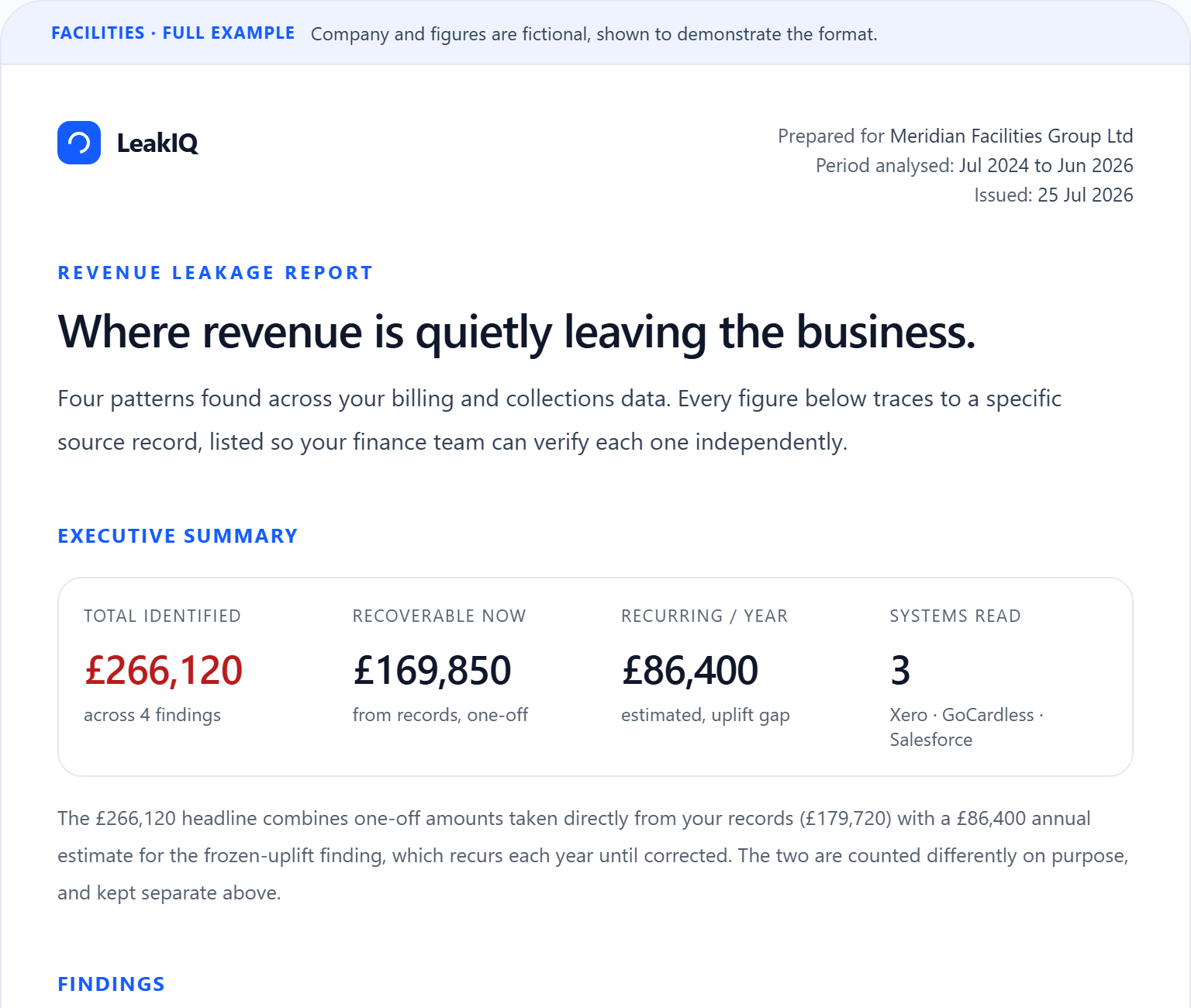
Want to see an example of the free report you'd receive?
The headline figures, then every finding with its amount, the customers affected and the source records behind it.
Common questions
How do I find duplicate invoices in QuickBooks Online?
QuickBooks stops you reusing a document number on a new invoice, but it does not stop the same customer being billed the same amount twice under two different numbers, which is the more common double bill. To find those, look for invoices to the same customer for the same amount within a short window of roughly ten days, setting genuine recurring billing aside. A read-only tool such as LeakIQ does this automatically: it clusters same-customer, same-amount invoices within a 10-day window, excludes a steady recurring rhythm so a monthly retainer is never mis-flagged, and also catches two records that share one document number for different amounts. It frames each as a possible duplicate and asks you to confirm before crediting, because a customer can legitimately order the same thing twice.
Does QuickBooks flag duplicate invoices and billing errors automatically?
Only in part. QuickBooks enforces its own document numbering and derives an open or paid balance for each invoice from the outstanding amount. It does not flag the same customer billed the same amount under two numbers, a document number reused across two records, an invoice that has aged past terms without being chased, a price that should have risen at renewal, or cash and credit notes left unapplied. Those need a cross-record check across your invoices and payments, which is why they usually go unnoticed.
How do I find aged invoices in QuickBooks that were never chased?
QuickBooks has no explicit paid or open status field, so an invoice counts as open when its balance is above zero. Run your open invoices report, filter to a balance greater than zero with a due date in the past, and check each against your correspondence to see which were never chased, including part-paid invoices where a balance remains. LeakIQ surfaces these for you, sized by the outstanding balance and days overdue, and separately flags open invoices with no due date once they are old enough to be unambiguous, by default around 90 days since issue. It surfaces them with the source record and a pound value; it does not chase or send reminders, so your team decides what to action.
What is unapplied cash in QuickBooks and how do I find it?
Unapplied cash is money a customer has paid that was never matched to an invoice, so it sits on the account without reducing a specific balance, often alongside credit notes that were raised and never applied. In QuickBooks you find it by reviewing customer payments and credits against open invoices, which is slow to do by hand across a busy ledger. LeakIQ surfaces unapplied cash where a customer has paid more than they were invoiced, and unused credit notes sitting against open invoices, each with the source record so your team can apply or refund it. It is read-only and never moves the money itself.
Does LeakIQ change or fix anything in my QuickBooks?
No. LeakIQ connects to QuickBooks read-only: it detects and prioritises billing errors and attaches the source record and a pound value, but it never writes back, never voids, credits, merges or edits an invoice, and never moves money. Every fix is carried out by your finance team in QuickBooks itself, once they have verified the finding against the ledger. Duplicate findings are framed as possible rather than certain, and the missed-uplift and discount-creep amounts are labelled estimates, because LeakIQ does not read contract clauses and cannot confirm an uplift was owed.
Keep reading
- the Xero version of this guide
Running Xero instead of QuickBooks? The same checks, framed for Xero's invoice and payment records.
- what revenue leakage is
A plain-English primer on the underlying problem before you go looking for it in QuickBooks.
- an example leakage report
See how a finding looks with its source record and pound value attached.
- how the platform works
How LeakIQ reads your finance systems read-only and surfaces findings for a human to verify.
- the full list of what LeakIQ detects
An honest catalogue of the checks LeakIQ runs across invoices and payments.